One workday. Many tasks.
A tailored workspace and smoother flow when you switch between your different tasks.
SEZ gives you a predictable workspace for every task. Switch profiles – and the apps, websites and windows you need are where you expect them.


The tools you need are where you expect them.
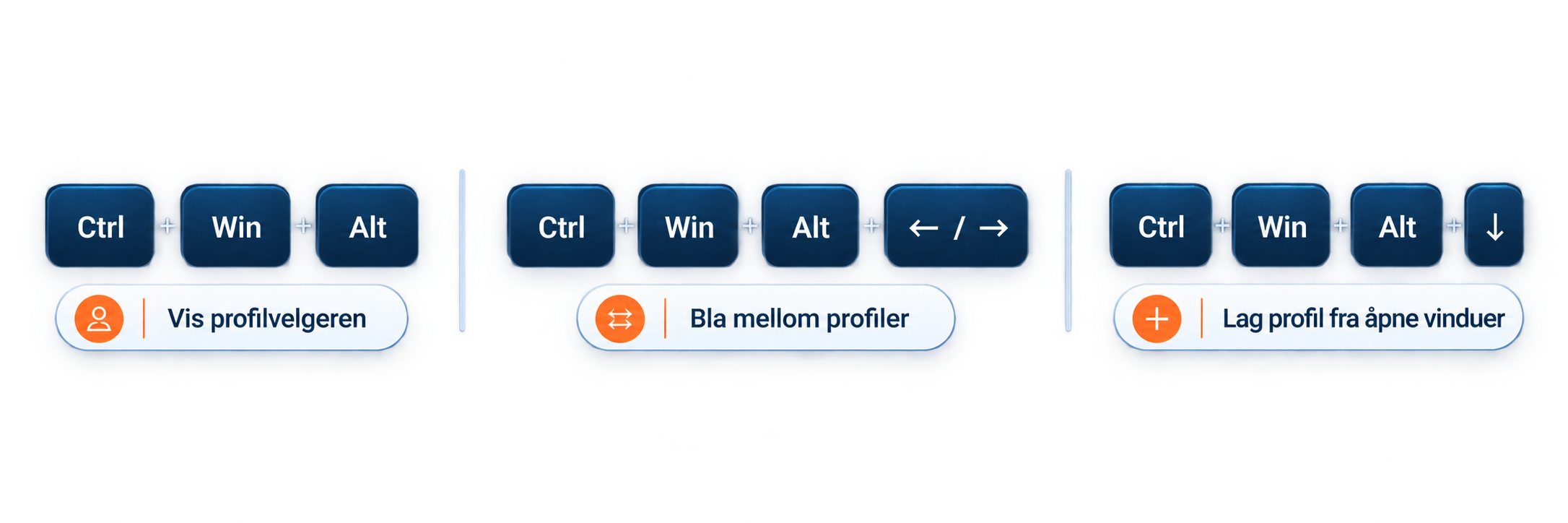
Switch between tasks with a keyboard shortcut or the profile chooser. SEZ finds your apps and websites and positions the windows according to your profile.


Simple setup. Big impact.
Three parts that work together – for a more predictable workday.

Profiles
One profile for every task. Gather the apps, websites and windows you need.

Layout
Set up your workspace the way you want it. Choose how windows are arranged on the screen.

Apps
Put your tools in the right place. Choose which apps to include in the profile.
Get started quickly
With keyboard shortcuts, you stay in control without leaving the keyboard.